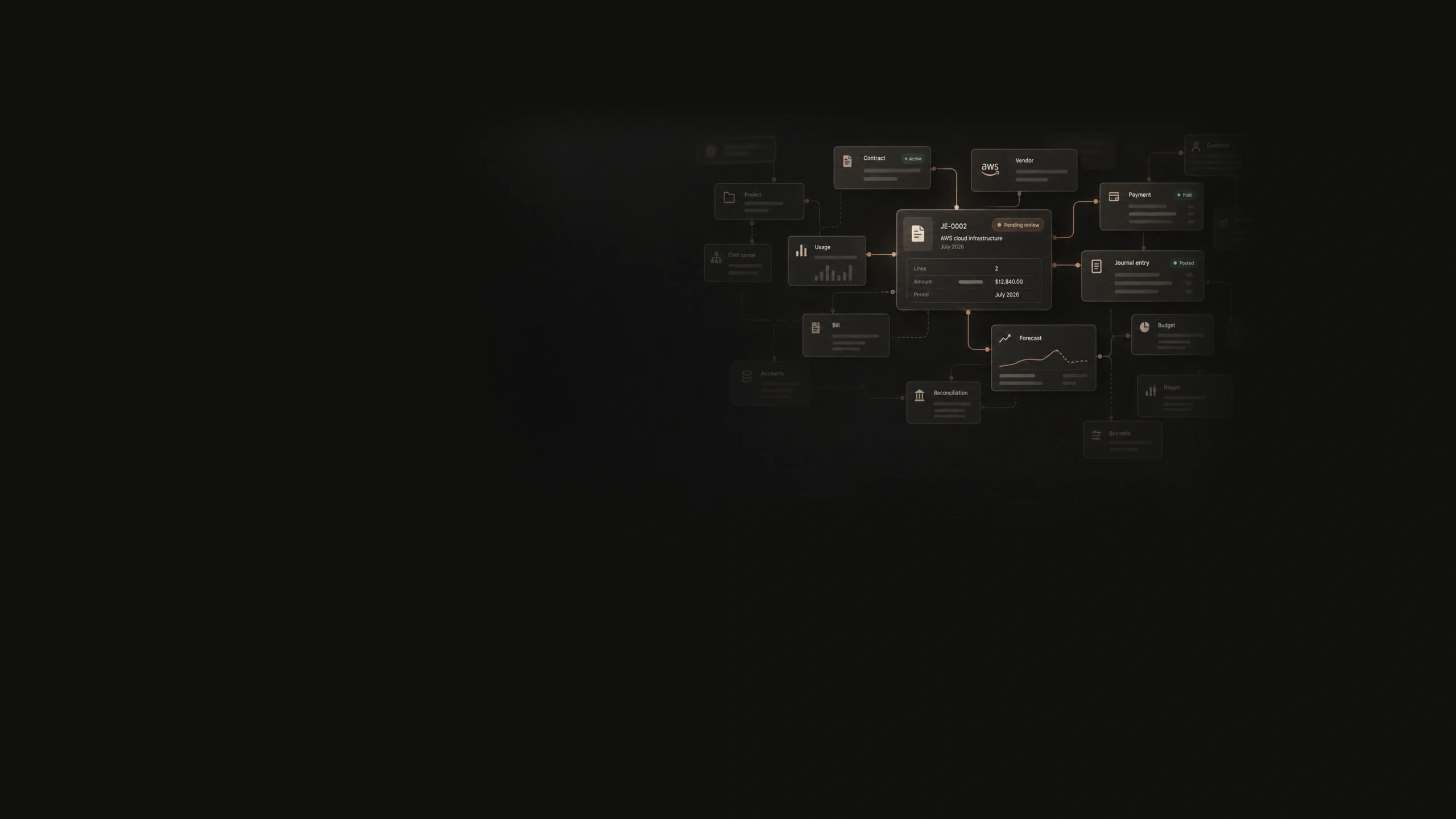
Contracts, invoices, purchase orders, payments and journal entries linked on one financial data graph
Platform · The AI Financial Data Graph

One AI Financial Data Graph, for the whole office of the CFO.

Your ERP stores the final entry. Sebastian keeps everything behind it: every contract, invoice, PO line, payment, and journal entry on one graph. Agents do the work. Nothing posts without your approval.

The AI Financial Data Graph

Transaction-level data that feeds the next step, instead of sitting in separate tools.

Point tools each own one slice of the data, so your team ends up re-keying everything in between. On one graph, a payment that clears an invoice moves the bank rec, the close status, and the cash forecast in the same motion, and every number still traces back to the record behind it.

sebastian · platform / data graph
Plumbline · July 2026 · one connected recordgraph state
  1. ContractMSA-2026-0114
  2. InvoiceINV-2026-0509
  3. PO linePO-2026-0261 · line 3
  4. PaymentACH · cleared
  5. Journal entryJE-2026-0482

the same motion updates

Bank reconciliation

matched

Close status

advanced

Cash forecast

updated

Contract, invoice, PO line, payment, and entry stay one record
Downstream state moves with the transaction, not overnight
Every figure opens to the source document behind it
Integrations

Live integrations with the systems finance already runs.

Sebastian reads the ledger, the CRM, the HR system, and the warehouse. One AI Financial Data Graph across all of them, the same numbers your close and your forecast already run on.

  • QuickBooks
  • NetSuite
  • SAP
  • Workday
  • Salesforce
  • HubSpot
  • DocuSign
  • Ramp
  • Snowflake
  • and many more
How it works

Read, prepare, approve, post. A person is in the loop at step three, every time.

  1. 01

    Read

    Sebastian reads your ERP, CRM, HR system, and warehouse. Your GL stays the book of record. Nothing is moved.

  2. 02

    Prepare

    Agents match invoices, draft entries with the evidence attached, tie out accounts, and build the forecast on live actuals.

  3. 03

    Approve

    Every entry waits for a person. You see the proposal, the policy it cites, and the sources behind it.

  4. 04

    Post

    Only after approval does the entry post to your ERP, and who prepared it, who approved it, and what they saw stays with the entry.

On top of your ERP

Your GL stays your book of record.

Sebastian does not replace the general ledger and does not ask for a migration. It reads your actuals, holds the history your ERP was never built to keep, and hands back proposals for review. Your checklist stays your checklist. Your policies stay your policies.

  • No migration, no re-implementation project
  • Your team keeps the systems it already knows
  • Sebastian holds what sits between them
sebastian · platform / ledger mirror
GL mirror NetSuite · 6,412 accounts
syncing · every few minutes
  • 1000Cash$142,684,100
  • 1200Receivables$58,412,900
  • 2000Payables$24,183,600
  • 2110Accrued payroll$8,341,700
Drift check · mirror ties to source0 discrepancies
Your policies, enforced

Your policies, applied the same way every period.

Your revenue recognition rules, accrual methodology, capitalization thresholds, materiality limits, approval chains, and chart of accounts are yours. Sebastian learns them and works that way. Generic automation forces your accounting into its template; this does not.

  • Industry treatment such as ASC 606 revenue recognition and usage-based billing
  • Company thresholds, materiality limits, and approval chains
  • Your chart of accounts, not a normalized substitute
sebastian · platform / policy application
July payroll accrual
JE-2026-0115 · Payroll · PlumblineSebastian
Preparing…
AccountDebitCredit
6000 · Salaries & Wages8,341,700.00
2110 · Accrued payroll8,341,700.00
Balanced8,341,700.008,341,700.00
How Sebastian built this
  1. 1Read the July payroll register from Workday · 2,346 employees
  2. 2Pro-rated the Jul 27–31 pay period across five working days
  3. 3Validated debits equal credits and tied the total to 2110 Accrued payroll
Sebastian

Unify accounting data with FP&A to drive your business.

Human control

Agents prepare. A person reviews and posts.

Every entry pauses for approval: the reviewer sees the proposed action, the calculation, and the evidence behind it before anything happens. Segregation of duties stays intact, and the audit binder assembles itself as the close happens rather than being reconstructed once the auditors ask.

  • Draft, pending review, approved, and rejected are explicit states
  • An approved draft lands in pending review; a reviewer posts it to your ERP
  • Preparer and reviewer sign-offs accumulate as the work is done
sebastian · platform / approval
JE-2026-0115 · payroll accrual workpapers
attaching…
  • csvpayroll-register-2026-07.csvWorkday export · 24 KB
  • xlsxaccrual-workbook.xlsxReview workbook · 38 KB
  • jsoncontrol-totals.jsonSource snapshot · 4 KB
  • pdfreview-note.pdfReviewer decision · 12 KB
Workpapers stay with the task. The source snapshot is versioned so a later review can verify it.
Evidence and security

A reviewer can always see where an answer came from.

Versioned source evidence

Close snapshots retain provenance, control totals, row counts, and content verification so a later review can identify the exact source used.

verifiable
Workspace isolation

Each customer’s finance data is isolated, with sensitive fields encrypted under per-workspace keys.

scoped
Work that survives the meeting

Agent work persists across sessions and approvals, so nothing is lost when a tab closes or a reviewer steps away.

resumable
Posts to your ERP

Approved entries post back to your ERP through the integration; the evidence stays on the graph.

write-back
Go deeper

See the work up close.

AI Financial Data Graph

How the graph is built: isolation, encryption, evidence, and integrations.
Trust & Accuracy

Cited policies, evidence assembled for review, and a trace an auditor can follow.

Security and trust

Tenant isolation, encryption, access controls, and segregation of duties.

Keep your ERP. Close and plan in one pane.

AI for accounting and FP&A on the ledger you already run. No migration. No rip and replace.

Agents at work · Matching an invoice to its PO line…